
Speaker Diarization for Video Editing: Who Said What
Diarization answers who spoke when. For editors it decides whether a cut lands on the right person, whether captions are labeled correctly, and whether a panel discussion is editable at all.
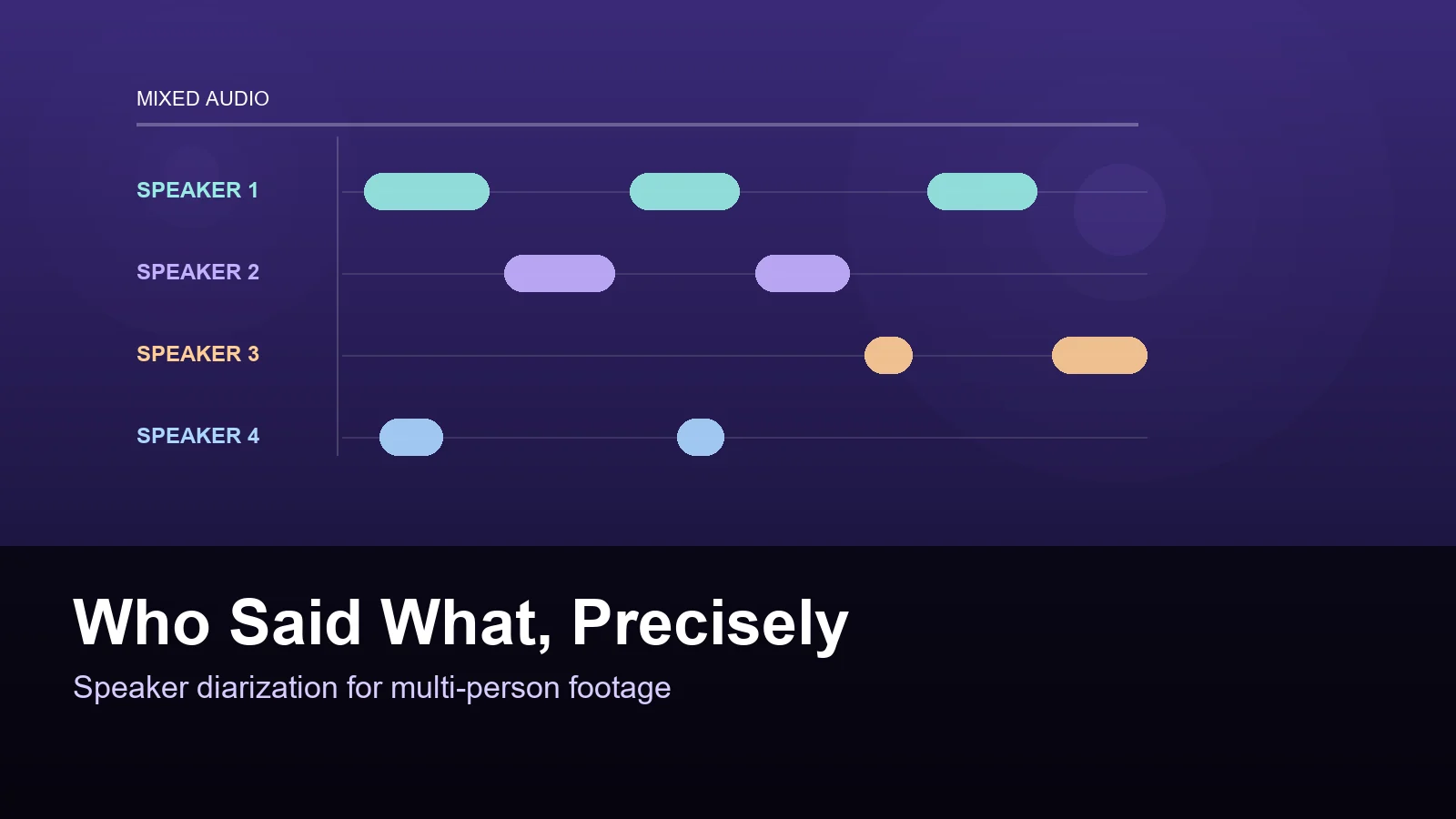
One microphone, four people, ninety minutes of discussion. Somewhere in there is a twenty minute cut. The hard part is not transcribing the words, it is knowing which of the four people said them, because the moment you cannot attribute a sentence you cannot cut to the right face, cannot label a caption, and cannot build an argument out of the conversation. That attribution problem has a name: speaker diarization, and it is the least glamorous part of AI video editing that quietly determines whether the rest works.
1. What diarization actually produces
Diarization takes a single mixed audio track and splits it into segments labeled by speaker, with a start and end time for each. It is not the same as speech recognition, which turns sound into text, and it is not the same as voice identification, which matches a voice to a known person. Diarization only answers a narrower question: this segment is speaker two, that segment is speaker one, and here is where the handover happens. Narrow as it is, that output is what makes every downstream step possible. Without it a transcript is an undifferentiated wall of text, and an automatic edit is a guess about which camera to use.
- Input: one mixed track, or several tracks if you have them.
- Output: labeled time ranges, speaker one through speaker N.
- Not included: names. Mapping labels to real people is a separate step.
2. Why it breaks, and what breaks it
Diarization fails in predictable ways. Crosstalk is the classic one: two people talk over each other and the model has to decide who owns the overlap, and whichever way it guesses, one speaker loses. Short interjections are another, a two word agreement gets absorbed into the previous speaker segment. Similar voices confuse it more than different ones, which is why sibling hosts and same gender panels are harder than a mixed group. Room acoustics matter too, because a reverberant space smears the boundaries between turns. And any recording with music underneath, which is common in event footage, degrades badly because the model has to separate speech from a continuous non-speech signal.
- Overlapping speech forces a guess that always disadvantages one speaker.
- Very short turns tend to be merged into the neighbor segment.
- Similar timbre, heavy reverb, and background music all reduce accuracy.
3. The editing decisions it unlocks
Once every sentence has an owner, several manual tasks collapse. Cutting to the person speaking becomes automatic instead of a frame by frame hunt. Multi-camera footage can be switched by who is talking rather than by watching all angles at once. Captions can be labeled, which matters for accessibility and for anyone watching without sound. Most importantly, the transcript becomes navigable by person, so you can pull every answer from one guest and see the shape of their argument before you decide what the episode is about. That last one is a research task that used to mean scrubbing with a notepad open.
- Automatic cutaways to the active speaker.
- Camera switching driven by turn taking rather than guesswork.
- Per speaker transcript views for building a story from a long conversation.
4. Diarization plus visual identity
Audio alone tells you speaker two is talking. It does not tell you speaker two is the woman in the blue shirt on the left, and for editing that is the part you actually need. Pairing diarization with visual identity resolves the mapping: the system sees which face moves while a given audio segment plays, and links the audio label to a person it can also recognize in other shots. Once that link exists, a fast cut on a wide shot can still land on the right person, and a reaction shot of someone who did not speak can be labeled correctly instead of being attributed to whoever was nearest the microphone.
- Audio labels alone cannot drive a camera cut on a wide shot.
- Face and motion analysis links a voice label to a person on screen.
- Identity persists across scenes, which matters for long recordings.
5. A practical checklist for better diarization
Most diarization problems are recording problems. If you control the shoot, record separate tracks per person even when you also record a mix, because separate channels make the job trivial. Use lavaliers rather than one room microphone, and keep the room as dry as you can. Ask people not to start over each other, which sounds obvious and almost never happens. If you only have a mix, feed the model the cleanest version you have before adding music. After processing, spend five minutes spot checking the boundaries where speakers change, because that is where errors cluster and where a wrong label produces the most embarrassing cut.
- Record isolated tracks whenever possible.
- Keep music out of the file you process.
- Spot check speaker boundaries before trusting the transcript.
6. What to do when the labels are wrong
Perfect diarization is not the standard, usable diarization is. A handful of mislabeled segments in a ninety minute recording is normal and usually harmless, because the cut only breaks when a wrong label sits exactly on a moment you use. Build a review habit rather than expecting accuracy: scan the transcript for segments that look out of character, since the wrong speaker often produces a sentence that does not sound like the person. Correcting a label is cheap if the tool exposes it as a simple edit rather than forcing a re-run, and that editability is worth more in practice than a marginal accuracy gain.
- Judge diarization by whether the moments you use are correct.
- Wrong labels are easiest to spot by reading, not by listening.
- Prefer tools where a label can be corrected in place.
FAQ
Is diarization the same as voice recognition?
No. Diarization groups segments by voice and labels them speaker one, speaker two, and so on, without knowing who those people are. Voice recognition or speaker identification matches a voice to a known identity. Editing workflows usually need diarization first, then a separate step to attach real names or link labels to faces on screen.
How accurate is speaker diarization on real footage?
On clean, isolated tracks with cooperative speakers it is close to reliable. On a single room microphone with crosstalk, background music, and people interrupting each other, expect a small percentage of segments to be mislabeled. That is usually tolerable because only the segments you actually use matter, but you should review the boundaries where speakers change.
Does diarization help with captions?
It does, in two ways. It lets you label who is speaking, which is required for accessible captions in panel and interview content, and it improves caption timing because turn boundaries give cleaner places to split lines. Captions generated from a diarized transcript read far better than a continuous block of unlabeled text.
Can I fix wrong speaker labels without starting over?
With a well designed tool, yes. The label is metadata attached to a time range, so changing it should not require reprocessing the audio. If a tool forces a full re-run to fix one mislabeled segment, that is a workflow limitation worth weighing against its accuracy, because in practice you will fix labels constantly.